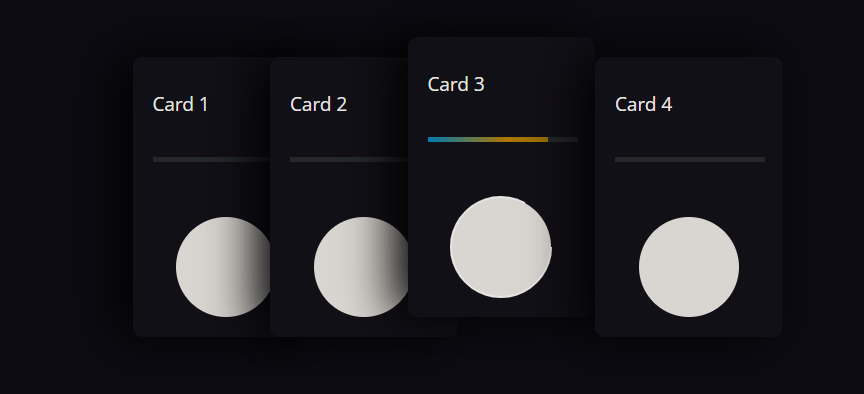
Card Hovering is the best way to Attract someone to your Website and you should try it too.
Have you ever wondered how do those cards (like the one Below) hover over the top of the text? Well, don’t worry, this tutorial will make your CSS and HTML knowledge shine! This is a fun and easy way to make your computer look awesome.
HTML:
<html lang="en" >
<head>
<meta charset="UTF-8">
<title>VDevlop - Responsive Card Hover Effects</title>
<link rel = "icon" href ="img/logo.png" type = "image/x-icon">
<link rel="stylesheet" href="./style.css">
</head>
<body>
<div class = container>
<div class = card>
<div class = image>
<img href = "#" src ="img/ch.png">
</div>
<div class = content>
<h3>Card Hover Effect.</h3>
<p>This is a Basic Card Hover Effect code by Virtual Developers Using HTML and CSS.</p>
</div>
</div>
</div>
</body>
</html>
CSS:
* {
box-sizing : border-box;
font-family: "Ink Free";
}
body {
display : flex;
align-items : center;
justify-content : center;
background-color: #000000;
min-height : 800px;
}
.container {
position : relative;
width : 1100px;
display : flex;
align-items : center;
justify-content : center;
flex-warp : warp;
padding : 30px;
}
.container .card {
position: relative;
max-width : 300px;
height : 215px;
background-color : #fff;
margin : 30px 10px;
padding : 20px 15px;
display : flex;
flex-direction : column;
box-shadow : 0 5px 20px rgba(0,0,0,0.5);
transition : 0.3s ease-in-out;
border-radius : 15px;
}
.container .card:hover {
height : 320px;
}
.container .card .image {
position : relative;
width : 260px;
height : 260px;
top : -40%;
left: 8px;
box-shadow : 0 5px 20px rgba(0,0,0,0.2);
z-index : 1;
}
.container .card .image img {
max-width : 100%;
border-radius : 15px;
}
.container .card .content {
position : relative;
top : -140px;
padding : 10px 15px;
color : #111;
text-align : center;
visibility : hidden;
opacity : 0;
transition : 0.3s ease-in-out;
}
.container .card:hover .content {
margin-top : 30px;
visibility : visible;
opacity : 1;
transition-delay: 0.2s;
}
Downloads:
To Download Raw Files (Images) :
To Download Raw Files and Source Code:
Note:
Save CSS file as style.css and HTML file as index.html If you want to try it by your own.
OR
You can get the Source Code or Files from from the links Above.



Ravi Sharma
Senior Blogger
Sometimes it's better to leave something alone, to pause, and that's very true of programming.
Popular Posts