Customize your Windows Desktop
Windows has been around for over 30 years, and it's no surprise that the software is still relevant. However, it seems like every time you turn around, Microsoft introduces a new feature or changes to the platform. Now, they’ve added a new feature that allows you to customize your desktop interface to match your unique style or personality. Here’s how you can do it.
Requirements:
1. Rainmeter
2. Rainmeter Skins
3. Wallpaper and fonts
4. TranslucentTB app
5. Modren Flyout app
6. Nexus Dock (optional)
Downloads:
To Download Files from Mega:
To Download Files from Mediafire:
To Download Nexus Dock:
To Download TranslucentTB:
To Download ModernFlyout:
Steps:
1. Install Rainmeter on your Deskop and Then Install The font from the Anurati Folder.
2. Now Install The mond and amatical skins.
3. After all the Installing Unload all of the Active Skin parts by Right-Clicking on them and then Press Unload.
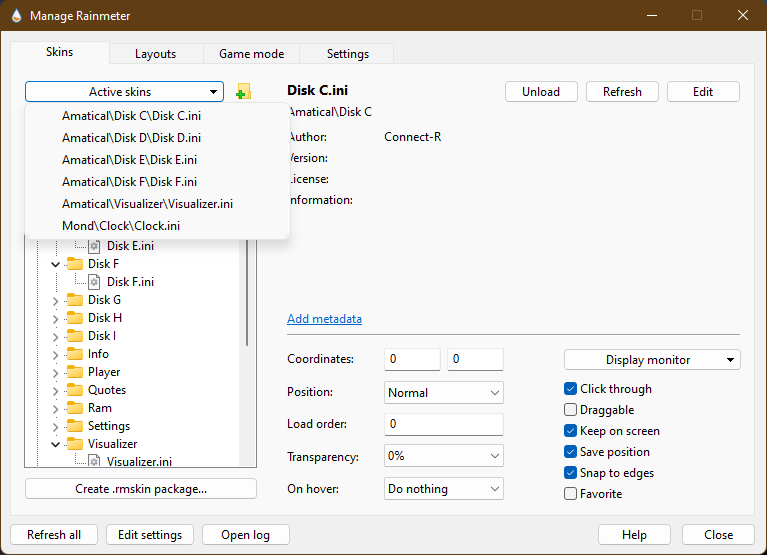
4. Now Open Rainmeter and Activate or Load These Skins From Amatical skin ( Disk C, Disk D, Disk E, Disk F ) Depending on how much Partition you have created of your Disk and the Visulizer Skin.
Then move to Mond Skin and Activate or Load the Clock skin from their.
Set all of these Active Skins According to your Prefrence and then uncheck the draggable button from Rainmeter Settings and If you can't Drag any of the file then click on Click through button in Rainmeter Settings.
5. Now Install TranslucentTB From Microsoft Store or from link above and then Run it.
6. Same with ModernFlyout install it from Microsoft store or from link above and then Run it. (If you want customize it you can do it from here.
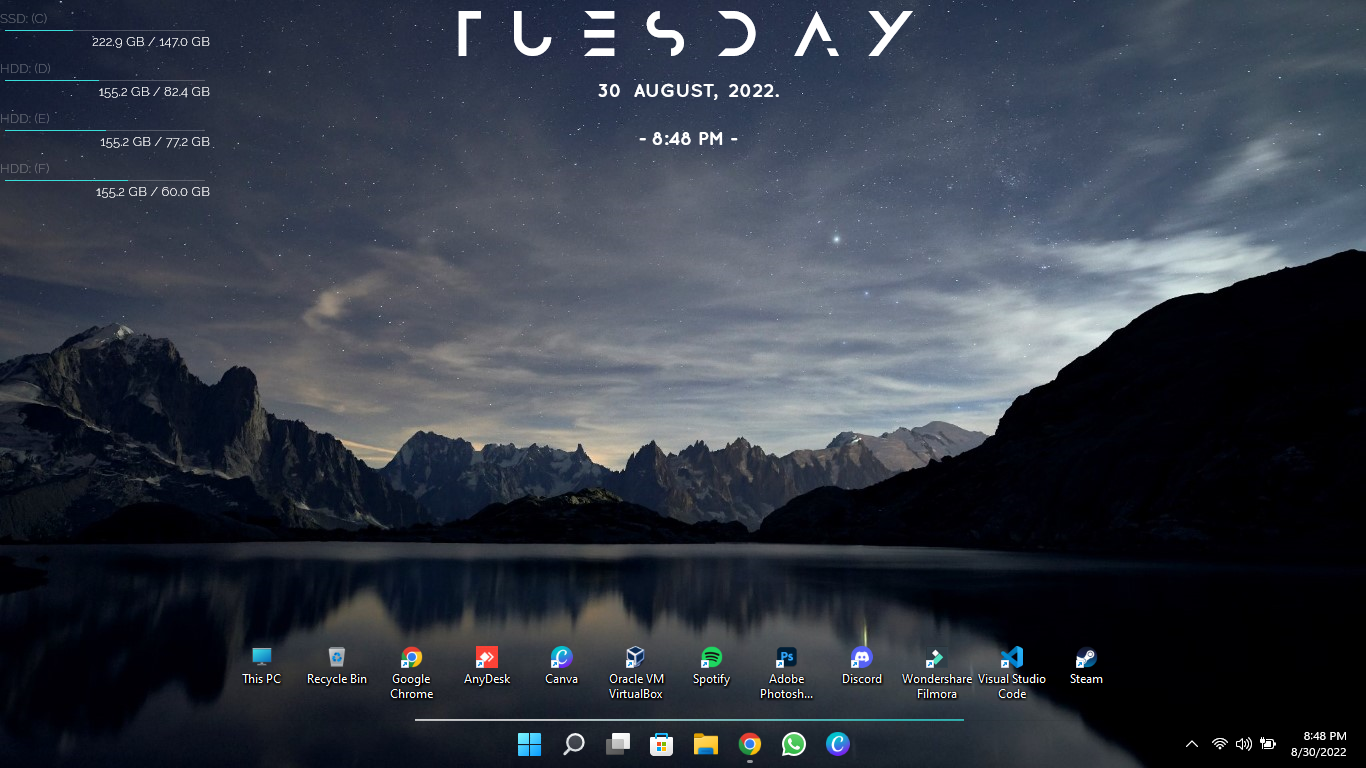
7. After all of these Setting Apply your Wallpaper and look at your Desktop going naah to wow.
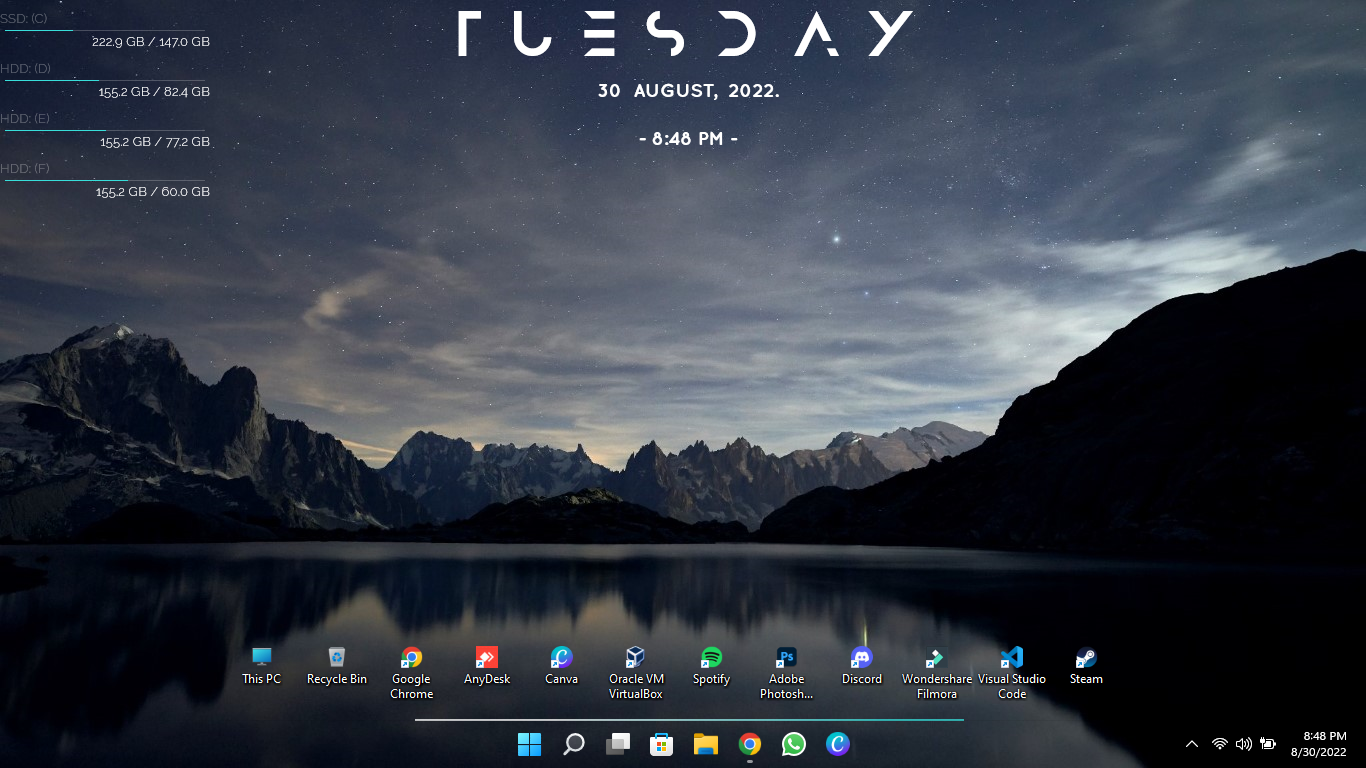
8. I like to use very less Software so I just arranged my preferable Softwares on Desktop and Removed other. (If you want to do the Same you can Turn off the auto-arrange setting by right Clicking on Desktop the View-> Auto-arrange.
Or you can use the Nexus Dock to make it look like mine but it is free so you can't Change the Nexus logo in the Dock.



Popular Posts